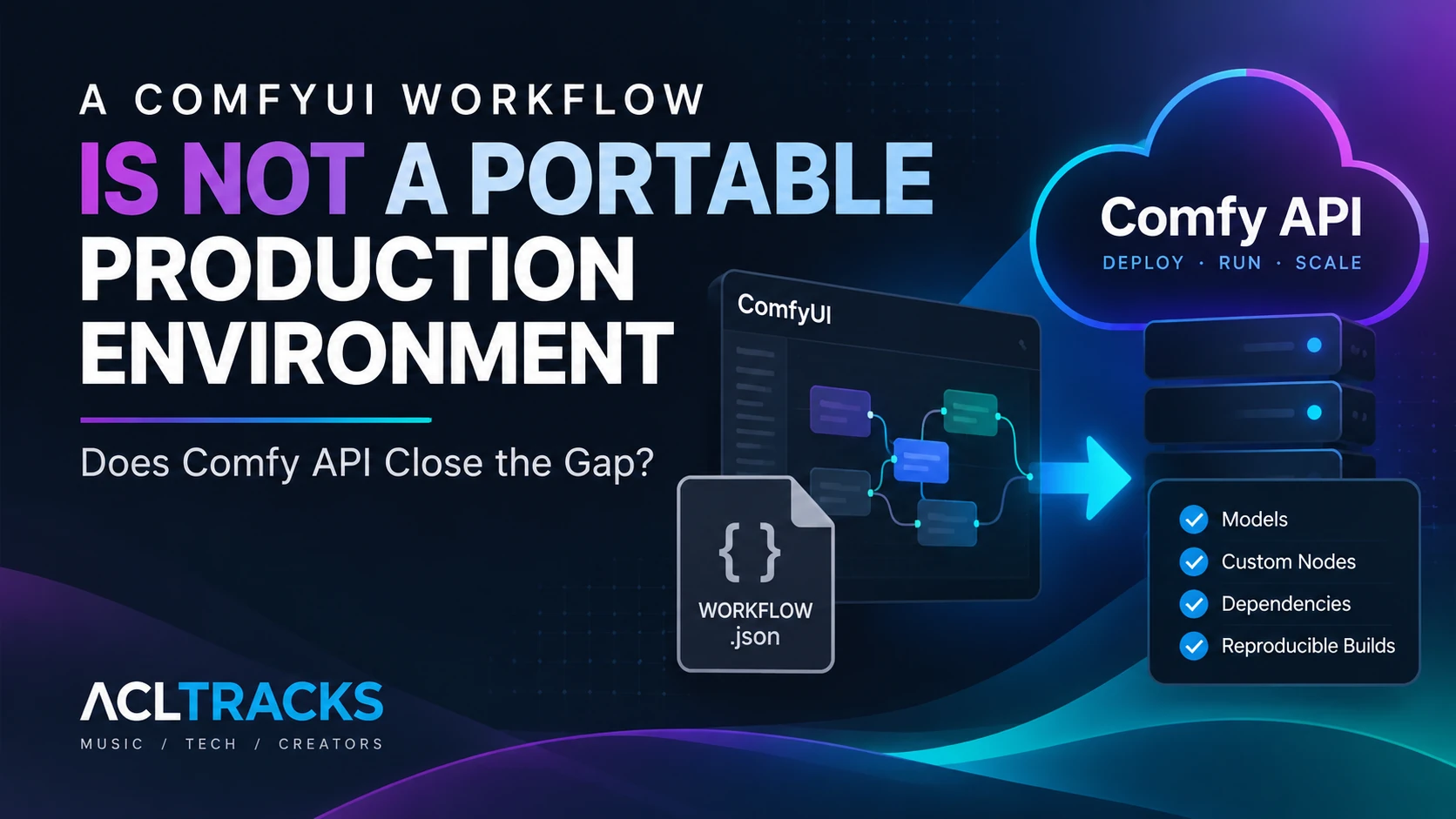
A ComfyUI graph can arrive on another machine looking exactly right and still fail before the first sampler runs. The checkpoint is missing. A custom node was never installed. A Python package changed underneath it. The JSON carried the recipe’s wiring, but the setup that made it work stayed behind.
Comfy API is designed to address that handoff. It packages a ComfyUI environment into a Build, creates a versioned release, then runs that release behind a managed GPU endpoint. That is a more complete deployment unit than a workflow file. It is not a promise that every computer can run it, that every output will be identical, or that infrastructure management disappears.
This article is based on current Comfy documentation and pricing, checked October 8, 2026. ACLTracks did not create a Build or deploy an endpoint for this article.
A workflow file is only one part of the handoff
A saved ComfyUI workflow records the graph: nodes, their connections, and the parameters set in the workflow. But those nodes depend on a ComfyUI version, custom-node code, Python packages, model weights, and sometimes input assets or outside services. The graph can refer to a checkpoint by name without containing the checkpoint file. A node can appear in the canvas even though the receiving machine has never installed the package that defines it.
That is why “I sent the JSON” and “you can run my setup” are different statements. Article #5 examined Comfy Agent’s graph-building role and the same dependency problem. This follow-up starts at deployment: how do you capture the environment around a graph, update it deliberately, and put it behind something another tool can call?
What Comfy API adds
Comfy announced Comfy API as generally available on paid Comfy plans on September 30, 2026. It runs workflows on managed, autoscaling GPU endpoints. The product is separate from using Comfy Cloud as an interactive browser workspace: Comfy API is for deploying a ComfyUI environment behind an endpoint that an app, script, or production pipeline can call.
The deployment has three parts. A Build describes the ComfyUI environment, including its version, models, custom nodes, settings, and Python dependencies. A release is a version of that Build prepared for a deployment target. A deployment runs a release on a selected GPU and region and provides an endpoint URL. Workflow requests use Comfy’s API format, which is exported separately from a normal workflow save.
You can begin from a workflow JSON, a Comfy Desktop snapshot, or a local ComfyUI installation scanned with comfy-cli. The builder inspects the workflow and suggests models and nodes; the creator still reviews the Build and adds or corrects missing pieces before making a release. A Build file records the environment definition and remote state, but it does not itself contain model files.
The transfer example: a graph that works on one machine
Imagine a musician has a release-artwork workflow using a particular image model and a community custom node for masking. The graph works on the artist’s workstation. When a designer opens the JSON on another machine, ComfyUI marks the custom node as missing and the model loader cannot find the checkpoint. Reinstalling by memory could fix today’s problem while introducing a different package version or dependency conflict.
With Comfy API, the documented route is to import the workflow into the Build Wizard, export a Desktop snapshot, or scan the existing local installation. The creator reviews the proposed inventory, adds the model weights and custom-node dependency that the Build missed, checks the ComfyUI and Python versions, and pins the software dependencies. Then the Build is pushed, a Linux/NVIDIA release is created, and that release is deployed to an available GPU and region. The consuming app sends an API-format workflow plus its input assets to the endpoint.
That sequence puts the environment in view. It does not mean the first scan knows every implicit requirement. Before release, check the exact model variant and file, custom-node source and version, transitive packages, node-specific configuration, input files, and any external API calls or assets fetched at run time. Confirm the model and node licenses allow the intended use and upload. A successful Build is a packaging milestone, not an artistic approval.
Three ways to share the setup
| What you share | What it carries | Where it helps | What still needs attention |
|---|---|---|---|
| Saved ComfyUI workflow | Graph structure, connections, and workflow settings | Reviewing, editing, and passing the recipe to another ComfyUI user | ComfyUI version, custom nodes, model files, Python dependencies, input assets, and compatible hardware |
| Local environment with manually managed dependencies | The graph plus the software and models installed on that machine | Offline work, hands-on debugging, and direct control of files and hardware | Someone must document and recreate versions, packages, models, and configuration on each target machine |
| Managed Comfy API deployment | A Build definition and immutable release with selected models, nodes, ComfyUI version, and dependencies, served by a managed endpoint | Calling a known workflow from an app, internal tool, or repeatable batch pipeline | Review Build contents, manage API-format inputs, pay for deployed compute and model storage, and test output behavior |
The table describes different levels of environment capture, not a guarantee that one option produces the same picture everywhere. A local environment can be carefully pinned and reproducible. A managed endpoint can reduce setup work. Neither removes the need to test the actual workflow and keep its inputs under control.
Immutable releases control change, not every result
Comfy describes releases as immutable. The release you test is the release you deploy; a change to models, custom nodes, or dependencies means updating the Build and creating a new release. That gives a team a way to keep an existing endpoint on its known version while it prepares and tests a replacement. When deployed, a new release creates a new deployment and endpoint, so an app’s configuration and the old deployment’s billing still need deliberate cutover.
This is environment reproducibility: the pinned software and assets associated with one release can be held steady for later runs. It is distinct from output determinism. The public documentation does not promise bit-for-bit identical images from repeated jobs. Seeds, input files, GPU/runtime details, nondeterministic operations, and custom nodes that call outside services can all affect what a workflow returns. That is an engineering inference from the scope of the release guarantee, not a Comfy API benchmark or an observed result.
For an artwork pipeline, preserve the API-format workflow, exact input image, seed and node settings, Build and release identifiers, and the output file alongside the review record. Then rerun a small representative batch after packaging. Compare the result visually and inspect logs before routing real campaign work through the endpoint. The packaging docs provide the pieces for a controlled test; ACLTracks has not verified this scenario in a live deployment.
Managed means fewer environment chores, with infrastructure choices attached
Comfy API is currently listed on paid Comfy plans beginning with Standard, not the free plan. Builds and releases can be created and kept without charge, but deployed workers and staged model storage are billed separately. At the time checked, the pricing page listed an RTX PRO 6000 at $4.54 per GPU hour and network model storage at $0.20 per GB per month. The current plan also sets limits on releases, deployments, and worker concurrency, and available GPU and region combinations can change. Check the live pricing and compute catalog before planning a pipeline.
Scaling to zero avoids GPU charges while the deployment is idle, but the first request must wait for a cold start. That worker is billed during startup and model loading. Keeping a minimum worker warm reduces that wait, while charging for its running time even between jobs. Pausing a deployment stops GPU billing but leaves model storage charges in place; deleting the last deployment in a region releases that staged storage after cleanup. Large models can also take longer to stage before a deployment starts.
There are privacy and operational tradeoffs too. API inputs and outputs are documented as being retained on Comfy’s servers for 24 hours, while custom code and models remain in Builds and deployments until deleted. The endpoint requires a Comfy API key; the support FAQ says scoped API keys, webhooks, and metrics were not available at the time it was updated. For sensitive unreleased artwork or proprietary models, review those terms and key controls before uploading. If the data must remain inside infrastructure you control, a self-hosted ComfyUI service remains an option. Comfy says its SDK can also connect to a self-hosted service through a proxy, though you then own the GPU environment, scaling, security, and updates.
Who gets the most from it?
For an independent creator making one-off images, Comfy API may add more account, endpoint, billing, and deployment work than it removes. A local setup is easier to reason about when the workflow runs only on one workstation and the creator is comfortable managing its dependencies.
The service becomes more compelling when the same workflow must run from a website, internal tool, or repeat batch process; when a small team needs a known environment; or when a creator wants workers to scale with demand without building GPU infrastructure. Even then, treat Comfy API as an environment and operations layer. It can package the graph’s dependencies into a versioned release and expose that release as an endpoint. It does not decide whether the workflow is well designed, the input is permitted, the output is visually consistent, or the generation will be identical on every run.
The practical answer
A ComfyUI JSON is a portable graph, not a self-contained production machine. Comfy API closes much of the gap by capturing models, custom nodes, software dependencies, and ComfyUI version in a Build, then freezing a Build into a release that can be deployed and called as an API. That is a real improvement for a workflow that needs to move into a product or pipeline.
The useful promise is controlled environment and versioned deployment. The stronger claim, fully reproducible output wherever and whenever you run it, remains unverified. Package carefully, review what the Build actually contains, account for endpoint and storage costs, and test the release with the same inputs your production process will use. That is how a graph becomes a deployable workflow, and how you find out whether it is reliable enough to produce the work you need.