
Do Content Credentials Survive the Trip From Editor to Social Media?
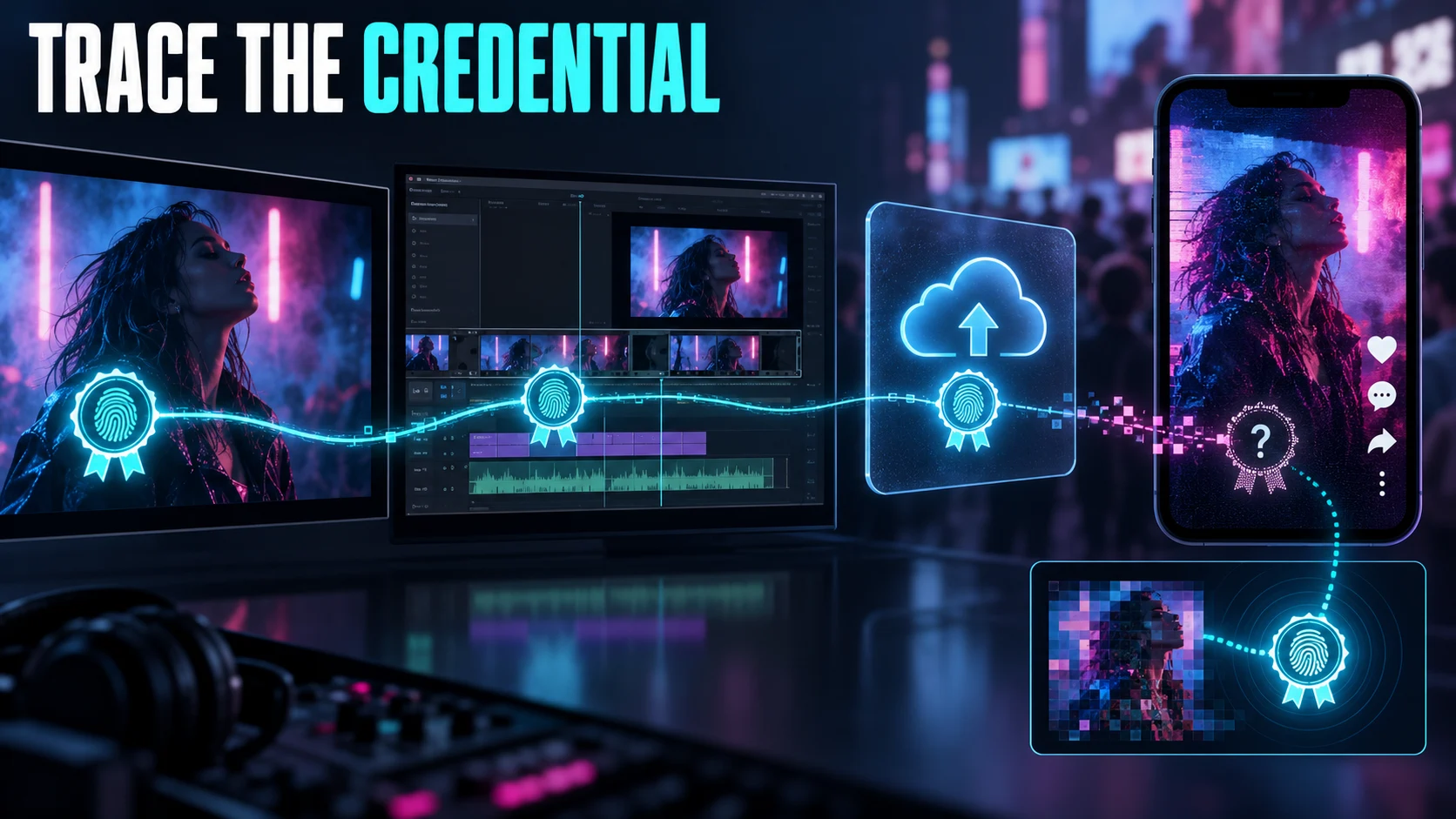
After a social-media upload, Content Credentials might still be embedded in the delivered file. They might be missing from it. Or a supported recovery tool might locate a related credential elsewhere. Those are three different outcomes. A label on a post does not tell you which one happened, and a missing label does not prove the original had no provenance information.
To find out what happened, follow the asset you actually publish. Export settings, file format, upload route, platform transformations, and the inspection tool can all affect what you observe.
ACLTracks did not upload a credentialed test asset to social platforms or measure whether metadata survived. This article explains the cited documentation and proposes a round-trip test. It does not guarantee that any particular social network preserves credentials.
Start with what a credential can tell you
The C2PA: Content Credentials explainer describes signed provenance information, while making clear that provenance is not a verdict on whether depicted content is true. A credential can help describe an asset’s source and recorded changes. It cannot make a staged scene unstaged or verify every claim in a caption.
The explainer also notes that provenance may be incomplete and metadata can be removed. Durable credentials can use soft bindings, such as watermarking or fingerprinting, to help locate credentials in cloud-hosted storage. Finding a record that way is not the same as finding a signed record embedded in the exact file you downloaded from a platform.
Read the signer information, validation status, and recorded actions as separate details. If an editing tool does not maintain the provenance chain, its work may not appear in the history. An incomplete history is not proof that no other changes occurred.
Verify the export before uploading
Choose an original asset you control. Record the editor, software version, export format, and credential settings. Keep both the master and the exported test file. Inspect the export before uploading so you know whether it contains the credential you plan to test.
Adobe: Inspect Content Credentials explains how to view provenance with Adobe’s inspection tool. Save the relevant result, and note which file you inspected. A screenshot of the credential panel can support your record, but it is no substitute for keeping the file that produced it.
If your editor offers both an attached-only option and a cloud-backed option, write down which one you chose. Do not combine their results into a single claim that “credentials survived.” The ways a credential can be found later may differ.
Check four separate points
First, inspect the exported file. Second, note what the platform displays after you upload it through your usual route. Third, inspect the actual media file if the platform provides a supported download or export path. Fourth, test credential recovery separately, if your tools support it.
At each point, record the date, application, input file, and result. Be specific: did the platform show a label, did the file contain a valid credential, did the inspector find a related record, or was no result available? Report what you observed, not what you assume the platform did behind the scenes.
If the platform does not let you access the delivered file you want to inspect, say so. A screenshot of a post can show what appeared on screen. It cannot establish what metadata is in a file you never obtained.
Change one delivery condition at a time
For a first pass, you might upload the verified original using the ordinary desktop route, without making another edit. Record the platform options you selected. Then, if they reflect your workflow, run separate tests with a resized export, a converted format, or a mobile upload.
Keep a separate source file and result for each condition. If you change several things at once and recovery fails, you will not know which change mattered. And if the first upload works, that does not show that credentials will survive every crop, repost, or recompression.
Test images and videos separately. A result for an image format does not establish what happens to a complete music video. Credential methods, supported formats, and platform processing may differ. Name the actual asset in your report.
A recovery result is not the same as embedded metadata
Adobe: Content Authenticity and credential recovery describes credentials stored in both the file and Adobe’s public credential cloud. It says embedded metadata, watermarking, and fingerprinting are used to maintain the connection. That documents Adobe’s approach. It does not establish that every transformation of an asset will remain discoverable.
If an inspection service finds a related credential, keep the service’s description and any stated uncertainty. Do not call a possible visual match an exact, byte-for-byte match. Likewise, a record found through cloud recovery should not be described as embedded metadata unless the inspection establishes that it is.
Think about what information your credential route makes visible. Creator attribution and provenance can help, but they should reflect the identity details you intend to disclose. Do not test public, cloud-backed credentials with unreleased work whose identity or content needs to stay confidential.
Report the result you observed
A useful report identifies the editor export, upload route, asset type, platform display, inspected delivery file, and any recovery result. Include failed and unsupported conditions alongside successful ones. A missing result is a limitation to explain. It does not automatically prove that the platform removed all provenance information.
Keep the original credentialed master even when the social version appears to work. It gives you a known source for future inspection and helps distinguish the publication copy from the archive. Preserve the record when you update the post or replace its media.
Before relying on credentials for attribution, check the publication route you actually use. Keep visible disclosures and source records when they help your audience, and treat credentials as a way to add detail. A missing credential does not prove content is false. A valid credential does not prove every surrounding claim is true.
Sources and scope
Official sources were checked October 12, 2026. Product and policy statements describe the cited documentation. The proposed experiments and examples are not completed ACLTracks tests.
**Editorial note:** I kept the article’s documentation-based scope intact. It still makes no claim that ACLTracks tested platform preservation.