
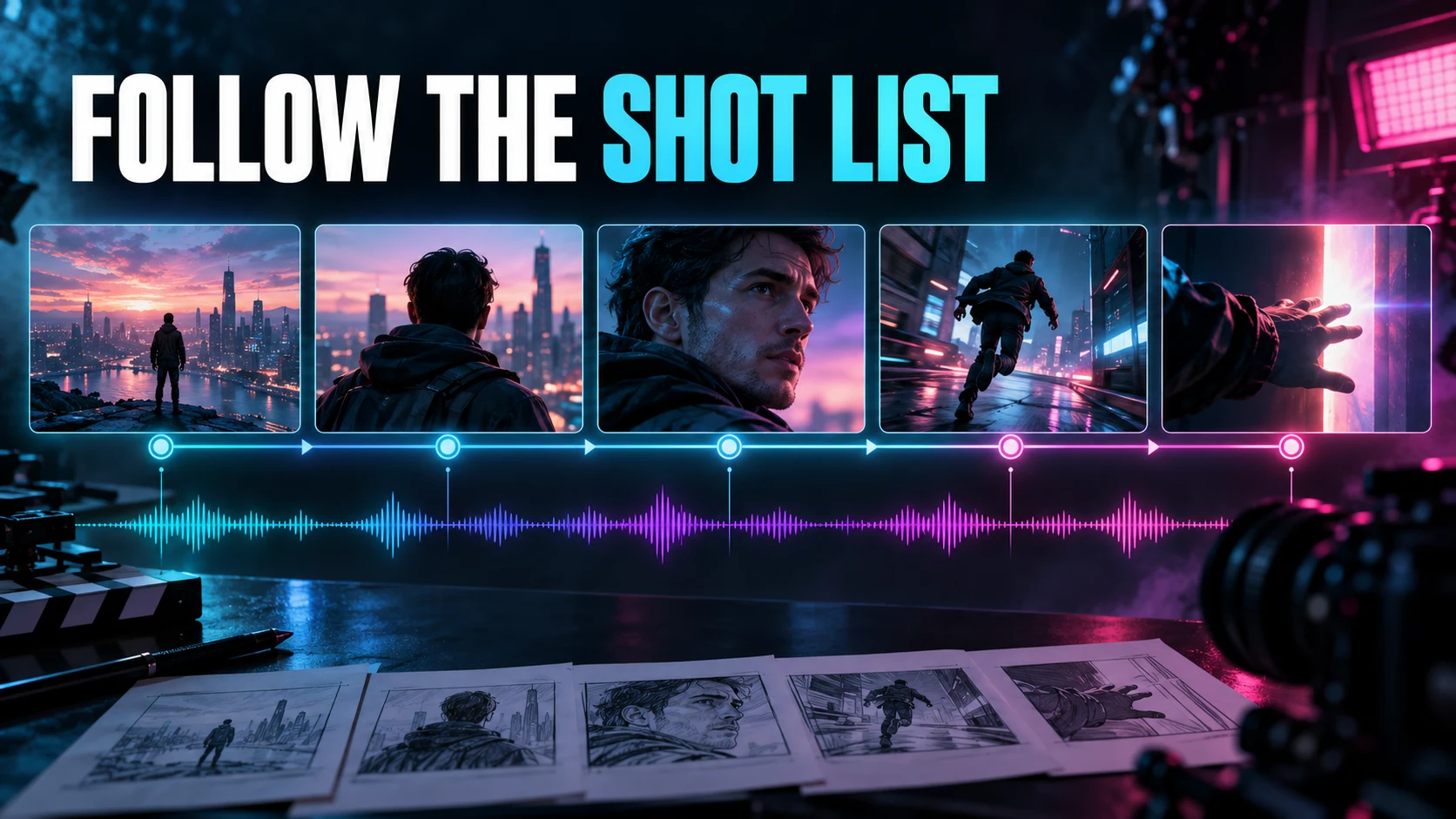
The Clip Has to Land on the Cut
A video generator earns its keep by handing you the shot your edit needs. That’s a lower bar than the demos imply and a higher one than most of them clear. A striking clip can still fail the list: the camera drifts when it was supposed to hold, the subject turns the wrong way, the action resolves a beat after the cut point. Image quality and direction-following are two separate verdicts. Conflating them is how mediocre tools acquire good reputations.
I’d start with a short sequence built to expose exactly that gap. Five planned shots make the control problem concrete without pretending one montage ranks an entire model family. Anyone selling a ranking off a highlight reel is selling something else.
This comparison examines documented controls and proposes a shot-list evaluation. ACLTracks did not generate footage or establish a performance winner among Runway, Veo, and Firefly for this article.
Three different control surfaces
Runway: Creating with Gen-4.5 documents text-to-video and image-to-video inputs, with durations from two to ten seconds. Its Runway: Text to Video prompting guide recommends clear visual and motion descriptions, including timestamped instructions alongside natural language. That’s prompt-driven direction, and prompt-driven direction is a genuine capability. It is not a guarantee that the requested event lands on the frame you need.
Google DeepMind: Veo reference images and creative controls describes character and scene references, camera controls, extension, and first-and-last-frame guidance. Before you build a test around any of that, confirm which of those capabilities your actual application and model route expose. A capability on a model page is not a promise from your interface.
Adobe: Firefly video controls and keyframe restrictions lists shot size, angle, motion, composition references, and keyframes. It also flags combinations that disable other controls once first or last frames are supplied. That restriction belongs in the comparison, not in a footnote. Assuming every checked box works at once is how you end up measuring your own optimism.
Give each shot one primary demand
Use an original scene and permitted reference material. For an illustrative music-video sequence, plan a wide establishing shot, a static medium shot, a slow push-in, a lateral tracking shot, and a close-up with one clearly timed action. Keep the character, setting, and intended visual style consistent across the list. Otherwise you’re testing continuity of nothing.
Write entry and exit conditions for every shot. What has to be visible at the top? What changes during it? What must be true at the cut? A “slow push-in” needs a subject and a framing target. “Cinematic camera” specifies the least important part of the request.
Use a common desired shot length wherever the workflows support it. If one route can’t produce the same duration or input combination, label that difference and state how the edit will use its output. Don’t hide a real mismatch behind an attractive cropped excerpt.
Compare the same intention with suitable instructions
Hold the creative brief fixed and translate it into the controls each system actually exposes. Native camera settings in one tool and a text direction in another can serve the same intention. Pasting an identical sentence into every system tests a common prompt — a different exercise, and not necessarily the best-supported workflow comparison.
Save the complete prompts, references, settings, model identifiers, and dates. Note whether an assistant rewrote the direction. Keep first outputs separate from revisions. A manually refined fifth candidate doesn’t belong beside another tool’s first attempt unless that difference is visible on the page.
Set the generation budget and the stopping rule before you start. Count returned clips, requests, rejected material, and any billed credits or charges actually incurred. If costs aren’t available, say so. Don’t infer a precise bill from a marketing page when your account’s actual route differs.
Score framing, motion, action, and continuity
First check whether shot size and perspective match the plan. Then check the camera path, and whether subject motion has been mistaken for camera motion. A singer walking toward a static camera is not the same shot as a camera pushing toward a stationary singer, and the edit will notice the difference even when the audience can’t name it.
Mark when the requested action begins and ends, then judge whether that timing is usable inside the planned cut. Check stability across the whole clip — hands, props, wardrobe, background geometry, face identity where visible. A good first frame tells you nothing about whether the rest of the shot holds together.
Keep visual quality separate from adherence. A technically rough clip can follow the list precisely; a polished one can miss its essential action. Both observations count. Neither should erase the other inside a single vague “best” score.
Put the outputs into a real sequence
Assemble the accepted shots against the same music and cut plan. Check screen direction, eyelines, action continuity, and whether you have enough entry and exit material. A shot that works alone can fail next to the previous one because the subject lands on the wrong side of frame.
Log every manual intervention: trimming, stabilization, reframing, retiming, color adjustment, replacement. Keep the source clip beside the edited version. Report whether the result was accepted directly, accepted after repair, or replaced. Useful seconds matter more than generated seconds.
Confirm the export in the intended aspect ratio and frame rate. A vertical crop can remove the action the wide composition existed to show. Treat alternate delivery formats as additional edits to review, not automatic copies of the same success.
Choose by the shot you need to control
For prompt-led camera choreography, look at Runway’s documented direction workflow. For reference-led scene planning, look at Veo’s available route. For explicit shot controls and keyframe planning, look at Firefly’s settings and its combination restrictions. These are starting points drawn from documentation, not measured rankings.
Spend the first evaluation budget on the hardest shot you actually require. If a tool can’t deliver that moment with acceptable repair, a folder of easier beautiful clips won’t finish the sequence. Pick the workflow that completes the list, then keep its real failure and repair costs in view.
Sources and scope
Official documentation was checked October 12, 2026. Product descriptions are documented capabilities or vendor claims. Evaluation procedures and examples are proposed work, not completed ACLTracks tests.
